On Tuesday, the 3rd of April, I was doing math in my…
How To Improve Email Deliverability In Klaviyo with InboxAlly

Lately, competition in the ecommerce sector has intensified, with brand owners seeking ways to stay at the top. With the rise of artificial intelligence, it’s easy to automate repetitive tasks using CRM tools like Klaviyo.
Even though Klaviyo automates most tasks, it still requires additional support to manage email deliverability effectively. InboxAlly is a perfect match for Klaviyo, helping you boost your email open rates by reducing spam placement. The tool helps with email deliverability, repair, warmup, and reputation, all in one place.
In this article, I will walk you through the InboxAlly integration to ensure smooth deliverability in Klaviyo. You will understand what InboxAlly is, its main features and benefits, and how to integrate it with Klaviyo to ensure smooth email deliverability and higher open rates.
Table of Contents
What is InboxAlly
InboxAlly is email deliverability and reputation repair software that helps increase open rates for ecommerce businesses. This tool helps streamline all your business communication processes.
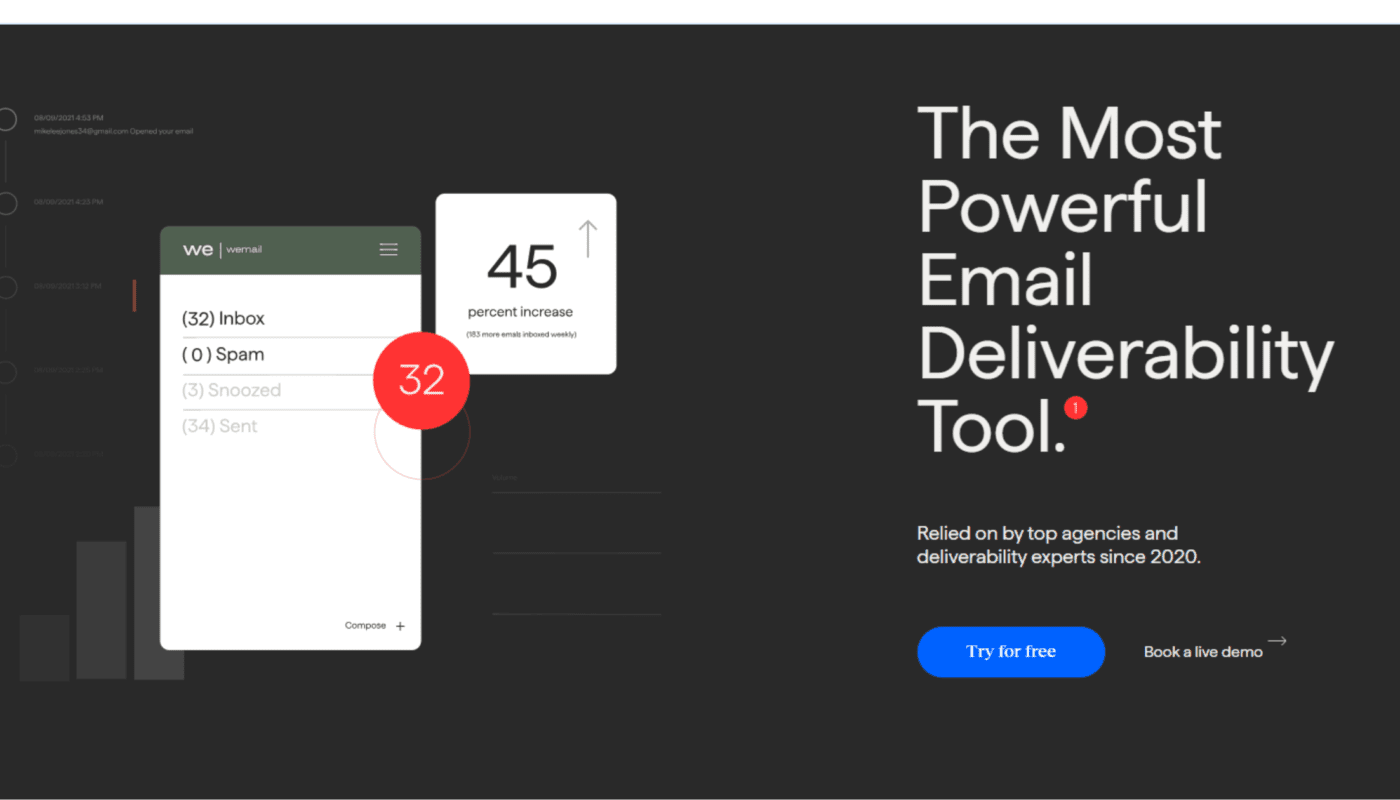
With the tool, you can send mass messages to your customers and boost your open rate, since the messages are sent directly to their inboxes rather than to spam.
Some of the major InboxAlly features include:
Email Deliverability
InboxAlly software ensures that all your email campaigns reach customers’ inboxes, not in other folders such as spam, promotions, or social. This enables automatic seed syncing with Klaviyo every 10 minutes.
Email Warmup
During every launch or campaign, email warmup is essential to ensure your important emails are not delivered to spam. Using InboxAlly helps build trust and reputation with your email provider through automated engagement interactions.
Email Repair
After any poor engagement or spam complaints, InboxAlly helps you restore your sender reputation. It detects inbox placement issues, recovers emails from the spam folder, rebuilds trust, and identifies filtering patterns that result in spam placement.
Email Reputation
One major trigger of a low email open rate is a bad reputation with your mailbox provider. To maintain a good reputation, you will need to use InboxAlly, which monitors all reputation signals from senders, protects your business from bad email addresses, and validates any new Shopify subscribers before you add them to your campaigns.
Boosts Email Marketing Performance
The most effective way email marketing works well is when your emails reach engaged users. Once you integrate InboxAlly with Klaviyo, you boost the performance of all your email campaigns. The software helps increase your email open rates, improve engagement, reduce spam placement, lower bounce rates, and enhance overall automated flows.
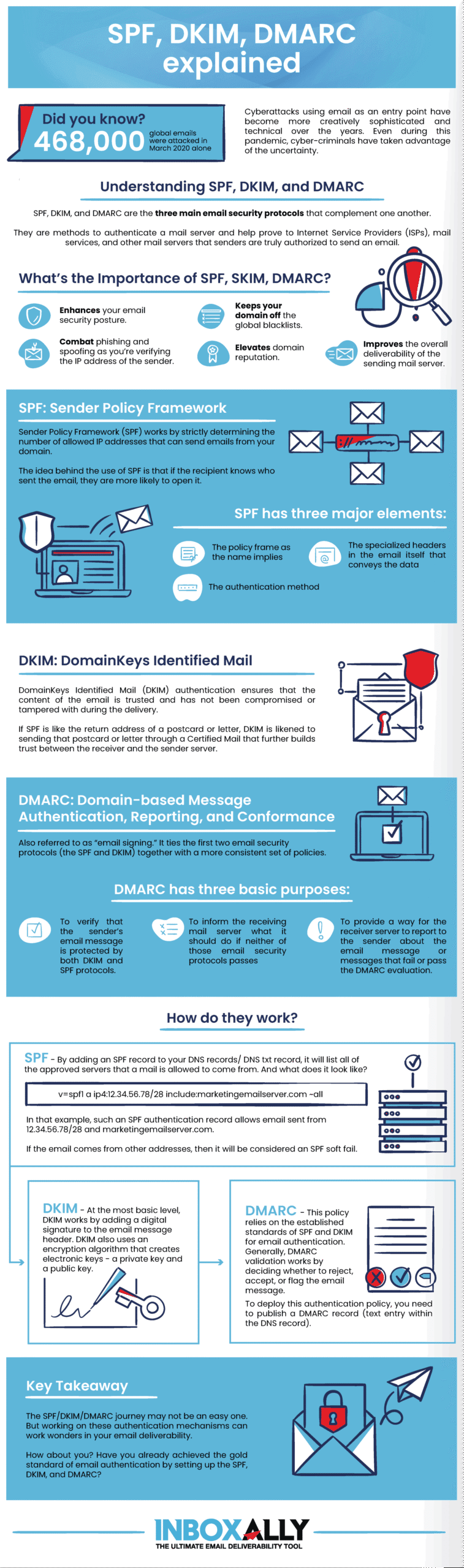
Overall, these features work with Klaviyo to help you achieve higher email open rates, fewer spam recoveries, improved email performance, and proper email warmup for new releases and campaigns.
Benefits of InboxAlly Integration with Klaviyo
As an ecommerce business owner, you need to stay one step ahead of your competitors. One major reason your campaigns or product launch may be underperforming is a low email open rate, which often occurs when your emails end up in spam folders.
However, InboxAlly helps deliver better results.
Real-time Contact Validation: InboxAlly automatically validates all new Shopify subscribers via webhooks before they join your campaigns, protecting sender reputation.
Automatic Seed Syncing: Every 10 minutes, InboxAlly syncs seeds into Klaviyo. This allows your ecommerce team to test email deliverability without doing manual tasks.
Reputation Monitoring: If you are a DTC brand looking to scale email volume, this lets you monitor performance before ramping up sends.
Placement Testing at Scale: For abandoned-cart recovery, seasonal campaigns, and product launches, InboxAlly is the ideal software. The tool first runs placement testing across Yahoo, Gmail, and Outlook.
No Infrastructure Changes: The InboxAlly integration for improved Klaviyo email deliverability will not disrupt your existing workflows.
InboxAlly has been used by brands such as Seido Knives to detect early signs of reputational issues that could lead to spam placement.
How to Integrate InboxAlly with Klaviyo
Klaviyo, one of the leading AI-CRM platforms for B2C brands, helps businesses automate repetitive tasks across analytics, marketing automation, and customer service. By integrating Klaviyo with InboxAlly, you can enable automatic contact validation, deliverability monitoring, and seed synchronization, all directly in your Klaviyo account.
Before you start the integration process, you need an active InboxAlly account, access to the admin dashboard in your Klaviyo account, and permission to authorize third-party apps in Klaviyo.
Here is a simple procedure on how to integrate InboxAlly with Klaviyo:
Connect Klaviyo and Authorize It
First, connect and authorize your Klaviyo account. Head over to InboxAlly and log in with your credentials. Once you log in, click My Account, then Integrations, select Klaviyo, and click Connect.
This will take you to Klaviyo to allow authorization. Carefully review the requested permissions, such as profiles, lists, webhooks, and events, then click Allow.
Once this completes successfully, a success page will appear and automatically take you back to InboxAlly. The InboxAlly integration will begin syncing your seed contacts immediately.
Check Your Integration Status
After connecting the two software platforms, you will be able to see the Klaviyo dashboard, which displays all real-time metrics. You will see various metric statuses, including integration status, OAuth token, webhook, seeds synced, contacts processed, and validation rate.
Configure Integration Settings
Configuring the settings is essential after the Klaviyo integration. This allows you to set the tool according to your preferences. The number of seeds to sync, the IA seeds to sync, validation rules, seed reenrollment, and other features to ensure smooth delivery.
Some of the main settings you need to configure include:
Maximum Seeds to Sync: Set the maximum number of seeds to sync to Klaviyo. The default is 100; you can increase it to your required value.
Sync IA Seeds: Click Yes to automatically sync your seed addresses from InboxAlly to Klaviyo. Every 10 minutes, the tool syncs the seeds to ensure your list is up to date.
Validate New Contacts: Enable this toggle to validate new Klaviyo subscribers automatically via webhooks. With every new subscriber, InboxAlly validates their email address in real time.
Reenrollment Days (Cycle): Set the number of days the tool takes to cycle through all seed profiles. Setting a lower value makes refreshes faster and increases API usage.
Allow Seed Reenrollment: This feature for enterprises generates fresh engagement data to enable accurate deliverability testing.
Validation Rules: There are different validation statuses. You need to configure which ones you want to consider valid. You can validate all or set custom rules.
Master Seed Management
To run and utilize InboxAlly with Klaviyo to its full potential, such as improving email deliverability, you need to master how the seed management feature works. Understand how seeds are synced in Klaviyo using special properties, such as ia_validation_status, which shows the current validation status (valid/invalid).
Additionally, understand what happens when you remove seeds from your InboxAlly allocation. When this happens, your Klaviyo profile will not be deleted, but certain properties will be set to invalid status. If needed, you can reactivate them as the engagement data is preserved.
Performance Monitoring and Logs
To understand how your campaigns, email engagement, and other metrics are performing, you need real-time insights to support decision-making. Keep track of your weekly metrics, sync performance, and insights.
Troubleshooting
The InboxAlly integration for Klaviyo’s smooth email delivery is designed to be user-friendly. Even as a beginner, you can solve most issues without technical assistance.
For example, when you experience a token-expired issue, the main cause is that the OAuth authorization is older than 6 months. This can be fixed by clicking the “Reconnect” button on the Klaviyo integration page.
Disconnect InboxAlly Integration
Just like the integration process, disconnecting InboxAlly from Klaviyo is simple. Visit InboxAlly, then go to Integrations> Klaviyo. Click the “Disconnect Integration” feature, then confirm the disconnection to finalize the process.
By finalizing this, you will remove every webhook subscription from your Klaviyo profile, end automatic syncing and validation, and clear your OAuth tokens from InboxAlly.
Remember, the seed profiles will remain in Klaviyo but will have a status of ‘no longer managed by InboxAlly’.
Read Also:
- What Is The Best 3PL For Dropship Fulfillment
- Why Paying For Dropshipping Courses Isn’t Worth It
- Is Dropshipping Legal For Under 18? Paying Taxes And Legalities
- Won’t People Find My Dropshipping Products Cheaper on Amazon?
- How To Dropship With AliExpress Using Shopify
Final Thoughts
Overall, Klaviyo is one of the best tools for your ecommerce business, especially if you use Shopify. With a little help from InboxAlly, these tools offer exceptional results, especially in improving your email deliverability rate. For Shopify store owners and DTC brands, the InboxAlly integration with Klaviyo, which ensures seamless email deliverability, is a worthwhile automation investment.
The tool offers perks such as email repair, warmup, reputation building, a high deliverability rate, and easy integration with your Klaviyo profile. If you are looking for a tool to boost your email open rate, try InboxAlly.

By following the steps highlighted in this article, the integration process should be seamless and active within a few minutes.
Related Posts